Marketo Personalization with WordPress: How It Works, Where It’s Limited, and When It’s Powerful
Learn how to implement Marketo personalization on a WordPress website using segmentation, cookies, and APIs. This guide covers step‑by‑step Marketo setup, WordPress integration, real‑world use cases, and honest limitations compared to tools like Mutiny or Demandbase.
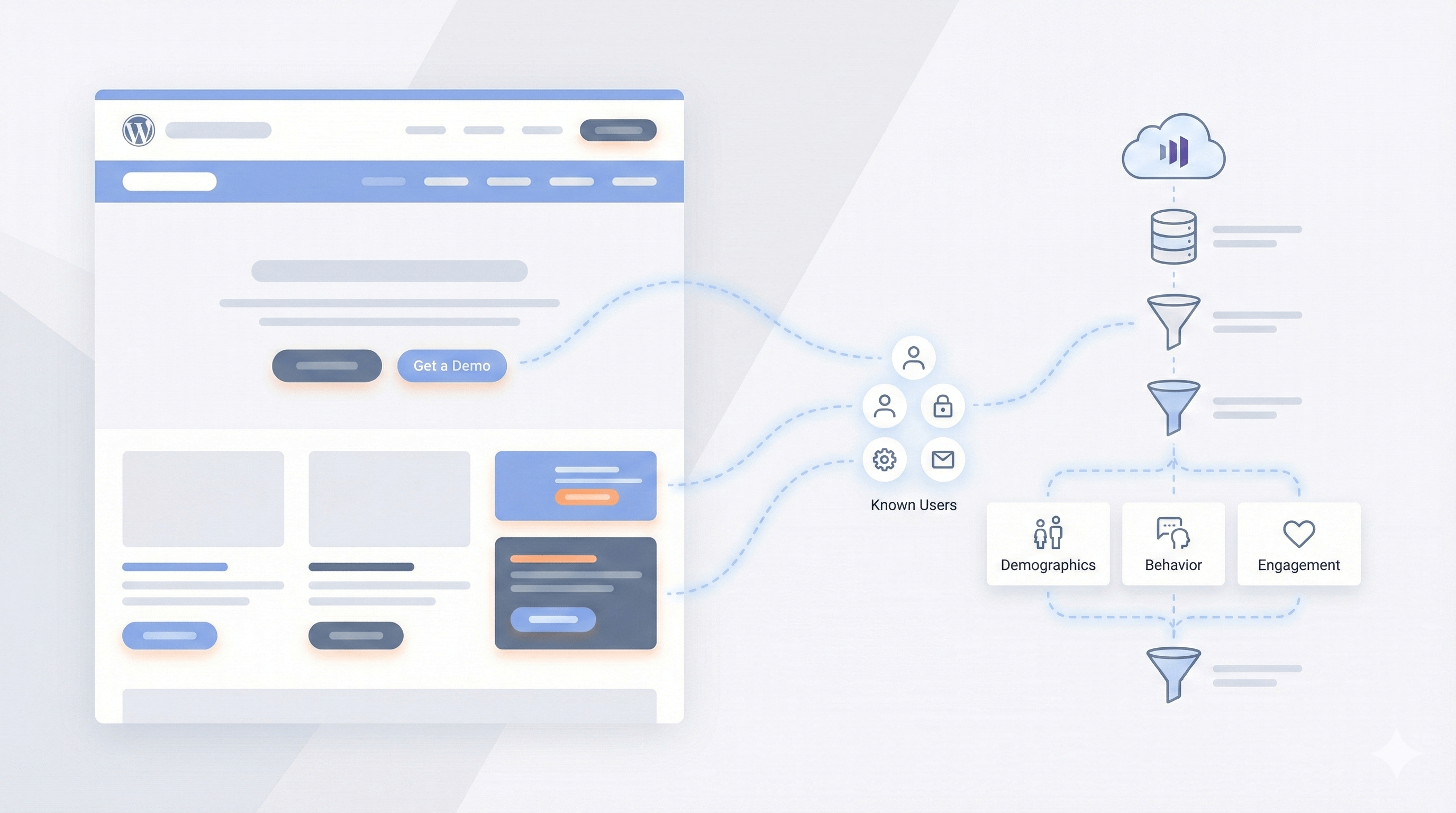
Introduction
Personalization is one of the most over‑promised and misunderstood topics in B2B marketing.
Tools like Demandbase and Mutiny promise real‑time anonymous personalization. Marketo, on the other hand, takes a more conservative and privacy‑first approach.
This document explains:
- How Marketo personalization actually works
- How to set it up step‑by‑step in Marketo
- How to connect Marketo personalization to WordPress
- Where Marketo is limited (and why)
- Real‑world use cases where Marketo personalization delivers strong ROI
This guide is based on a real production implementation, not theory.
How Marketo Personalization Works (Core Concept)
Marketo personalization is lead‑based and cookie‑based, not traffic‑based.
Marketo personalizes known people, not anonymous visitors.
Everything depends on a single browser cookie:
_mkto_trkThis cookie is created by Marketo Munchkin and is required to identify a visitor.
When the _mkto_trk Cookie Is Created
Marketo automatically sets _mkto_trk when:
- A visitor submits a Marketo form
- A person clicks a Marketo email link
- A visitor lands on a Marketo landing page
Being “in the Marketo database” alone is not sufficient.
The browser must contain the cookie.
High‑Level Personalization Flow
Visitor Browser
      |
WordPress Page Load
      |
Check tcp_user_segment cookie
      |
   ┌──┴─────────────┐
   |                 |
 Exists             Missing
   |                 |
Use cached value     Read _mkto_trk
                     |
               ┌─────┴─────┐
               |           |
            Missing       Exists
               |           |
           Default     Call Marketo API
                               |
                         Read webSegment
                               |
                      Set tcp_user_segment
                               |
                    Personalize CTAs
Marketo Setup (Click‑by‑Click)
1. Verify Required Fields
Admin → Field Management
Ensure these exist:
- Industry
- Company Name
- Job Title
2. Create Segmentation
Database → Segmentations → New Segmentation
Name: Web – Industry
Order matters:
- Education
- Government
- Healthcare
- Manufacturing
- Public Safety
- Default
3. Define Segment Logic (Example: Education)
Industry = Education
OR Company Name contains university, college, school, academy
OR Job Title contains teacher, professor, dean, principal
Repeat for other industries with relevant keywords.
4. Approve Segmentation
Right‑click segmentation → Approve
5. Create Mirror Field
Admin → Field Management → New Custom Field
- Type: String
- Name: Web Segment
- API Name:
webSegment
6. Sync Segment to Field
Create a Smart Campaign:
Name: System – Sync Web Segment
Smart List
- Trigger: Segment Changes
- Segmentation: Web – Industry
- New Segment: Any
Flow
- Change Data Value → Web Segment
- Value:
{{lead.Segmentation_Web_-_Industry}}Schedule
- Activate
- Run once (backfill)
API Setup (Read‑Only & Safe)
Create a LaunchPoint Custom Service:
- Client ID
- Client Secret
- Role: Read‑Only Lead
Copy endpoints from: Admin → Web Services
- REST API Endpoint
- Identity Endpoint
WordPress Integration Overview
The WordPress plugin:
- Reads
_mkto_trk - Queries Marketo API
- Retrieves
webSegment - Stores
tcp_user_segment - Personalizes CTAs using selectors
No emails are sent, no campaigns triggered.
What Gets Personalized (Best Practice)
| Element | Personalized |
|---|---|
| Demo CTA | ✅ |
| Help‑Me‑Choose CTA | ✅ |
| Banner copy | ✅ |
| Navigation CTA | ✅ |
| Hero headline | ❌ |
| Long body copy | ❌ |
Testing & Validation
API
/wp-json/tcp/v1/personalizationDOM
<html data-web-segment="education">Dev Test
document.cookie = "tcp_user_segment=Education; path=/";
location.reload();
Limitations (Important)
Personalization will not work if:
- Visitor is anonymous
- Cookies are cleared
- New device or browser
- Safari inactivity > 7 days
- Munchkin not installed
This is expected behavior.
Marketo vs Mutiny / Demandbase
| Feature | Marketo | Mutiny |
|---|---|---|
| Anonymous personalization | ❌ | ✅ |
| IP enrichment | ❌ | ✅ |
| Known‑user accuracy | ✅ | ⚠️ |
| CRM depth | ✅ | ❌ |
| Privacy‑first | ✅ | ⚠️ |
| Cost | Included | High |
Key takeaway:
Marketo personalizes people. Mutiny personalizes traffic.
Best‑Practice Strategy
- Marketo segment (known users)
- Optional enrichment (Clearbit)
- User choice (Help‑Me‑Choose modal)
- Default experience
Conclusion
Marketo personalization is often misunderstood because it’s compared to tools it was never designed to replace.
When used correctly, it is:
- Accurate
- Privacy‑safe
- Stable
- High‑ROI for known users
WordPress Plugin: Bringing Marketo Segments to Your Website
This lightweight WordPress plugin connects Marketo segmentation to on-site personalization, allowing you to tailor CTA text, buttons, and banners for known visitors.
It works seamlessly with existing Gutenberg and Kadence layouts, updates only the copy (not the design), and runs safely using read-only Marketo data.
No emails are triggered, no layouts are rebuilt — just clean, privacy-first personalization where it matters most.
Repository
WordPress plugin implementation:
https://github.com/WajahatMubashir/WP-Marketo-Personalization